
Commit details
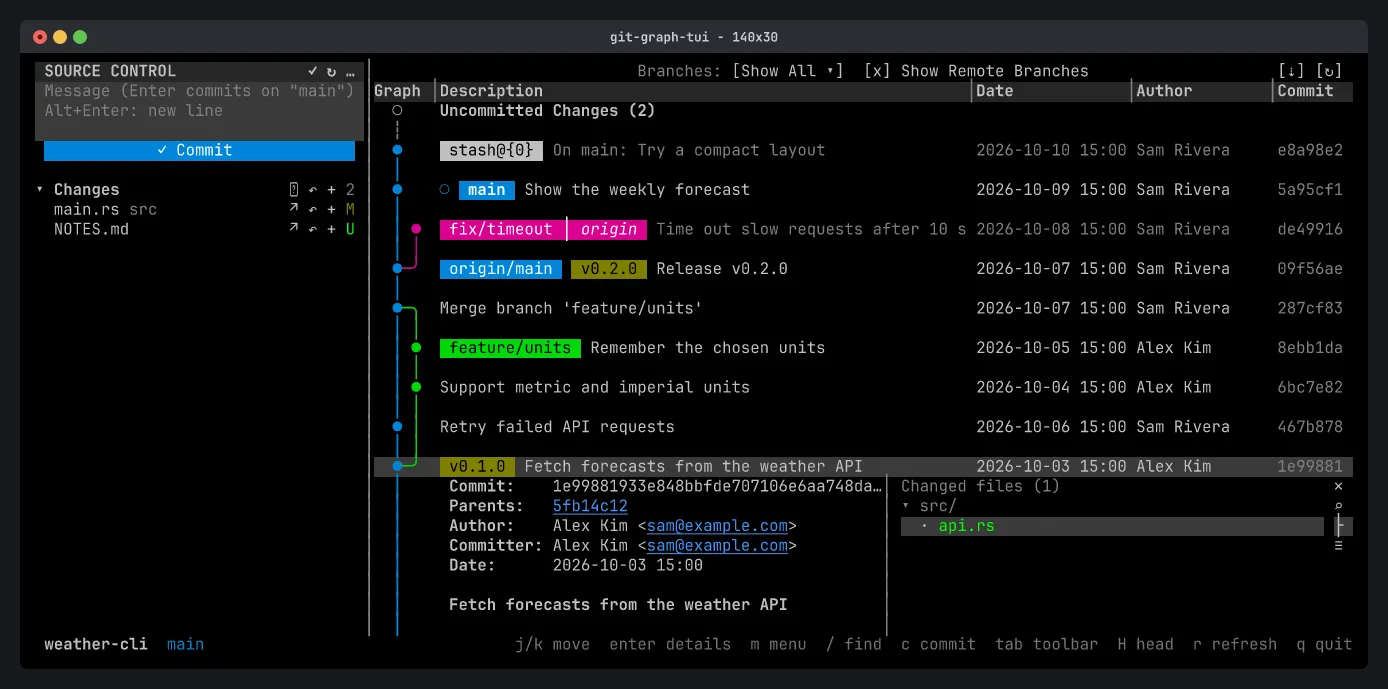
Press Enter (or click) on a commit to open its details under it: the full hash, parents, author, committer, date and message, and the files it changed. Press Enter again, or Esc, to close them.
Files and diffs
Section titled “Files and diffs”jkpick a file,Enteropens its diff, andvshows the whole file as it was in that commit.- In a diff,
sswitches between one column and side by side (needs at least 100 columns). topens the file in yourgit difftool.ffilters the files by name, andlswitches between a folder tree and a flat list.JK(or the mouse wheel) scroll the message and fields.
To pipe diffs into a pager such as delta, set [diff] pager in the config file.
Issue links
Section titled “Issue links”Issue references in the message, such as #123, are underlined. Click one to open the issue on origin’s GitHub, GitLab or Bitbucket page, or on the page set by [issues] url.
Compare commits
Section titled “Compare commits”In the commit menu, Select for Compare marks a commit. On another commit, Compare with Selected lists the files changed between the two, and Compare with Working Tree lists what changed since the commit, uncommitted edits included.