
The graph
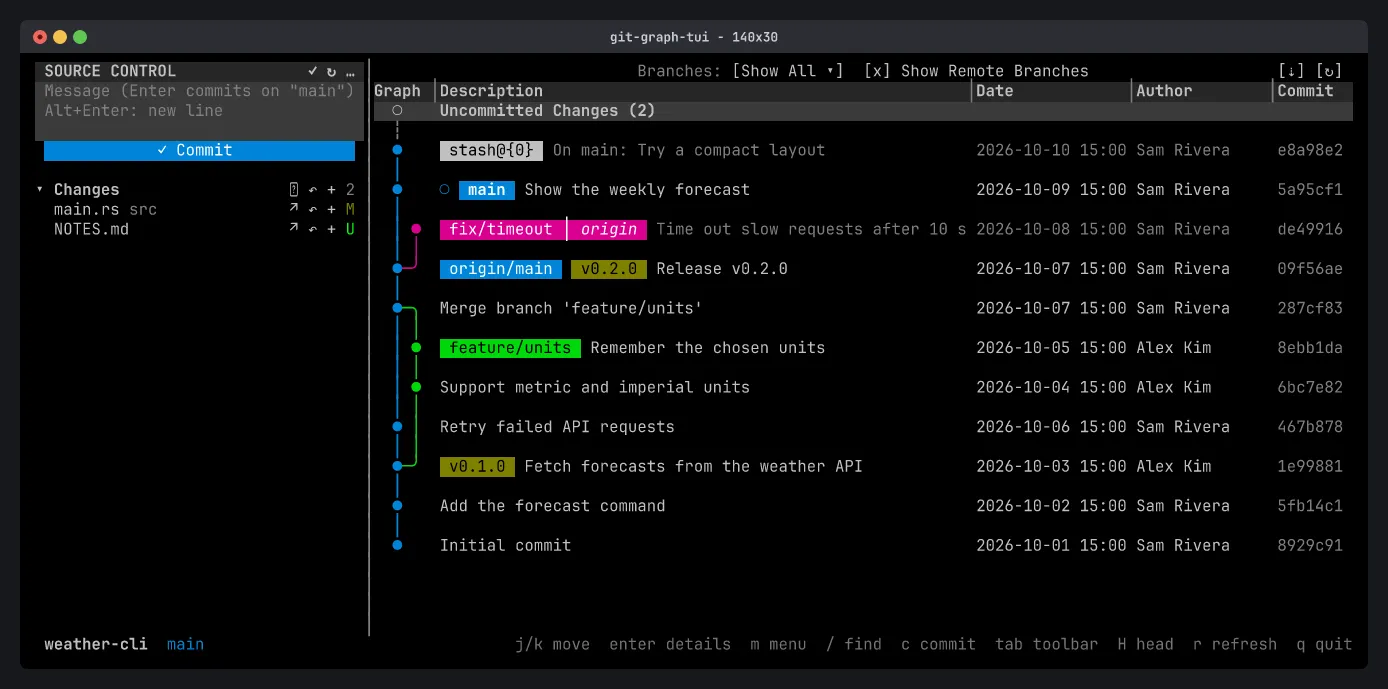
Each row is a commit, newest first. The Graph column draws the branches as colored lanes, so merges and forks are easy to follow. On the right are the Date, Author and Commit (short hash) columns.
Badges
Section titled “Badges”Refs show as colored badges before the commit message:
- Branches (
main,feature/units) in their lane’s color. The current branch has a hollow circle○before it. - Remote branches (
origin/main). When a local branch matches its remote, the remote’s name is joined to the local badge (fix/timeout │ origin). - Tags (
v0.2.0) in yellow. - Stashes (
stash@{0}) as their own row, just above the commit they were made on.
The Uncommitted Changes row at the top counts the files changed in your working tree.
Double-click a branch to check it out, like in VS Code.
Columns and layout
Section titled “Columns and layout”- Drag the
│between the Source Control pane and the graph to resize the pane. - Drag a divider in the column header to resize the columns.
- Right-click the column header to show or hide the Date, Author and Commit columns.
Your layout is saved when you quit (see Configuration).
Branch filter and remote branches
Section titled “Branch filter and remote branches”Press Tab to move to the toolbar at the top: the Branches filter, Show Remote Branches, ↻ Refresh and ⇣ Fetch. Arrows move, Enter presses.
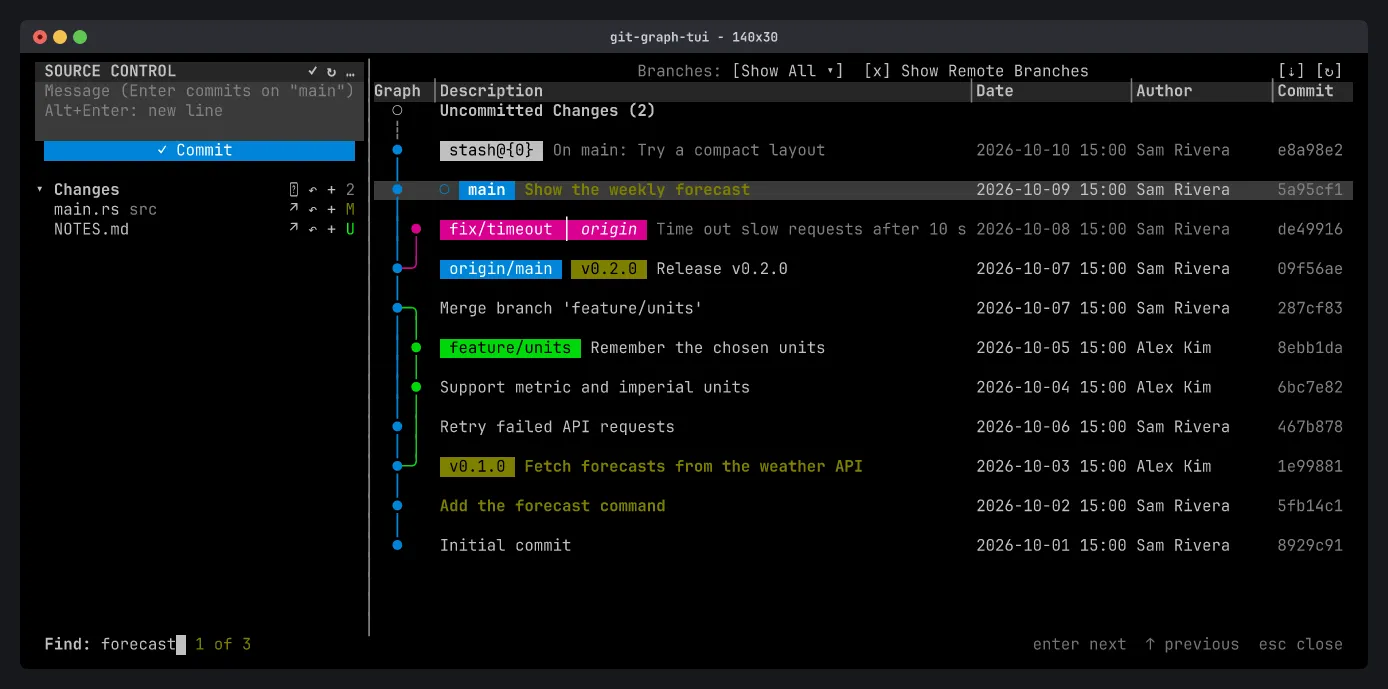
Press / and type to search commits by message, author, date, hash, or branch or tag name. Matches are highlighted and the bar counts them (1 of 3).
Enteror↓goes to the next match,↑to the previous one,Esccloses.- With no match among the loaded commits, older history is searched page by page. “No matches” means none in the whole history.