
Context menus
Right-click anything in the graph to see what you can do with it. From the keyboard, press m (or Shift+F10) to open the menu of the selected row.
Branch menu
Section titled “Branch menu”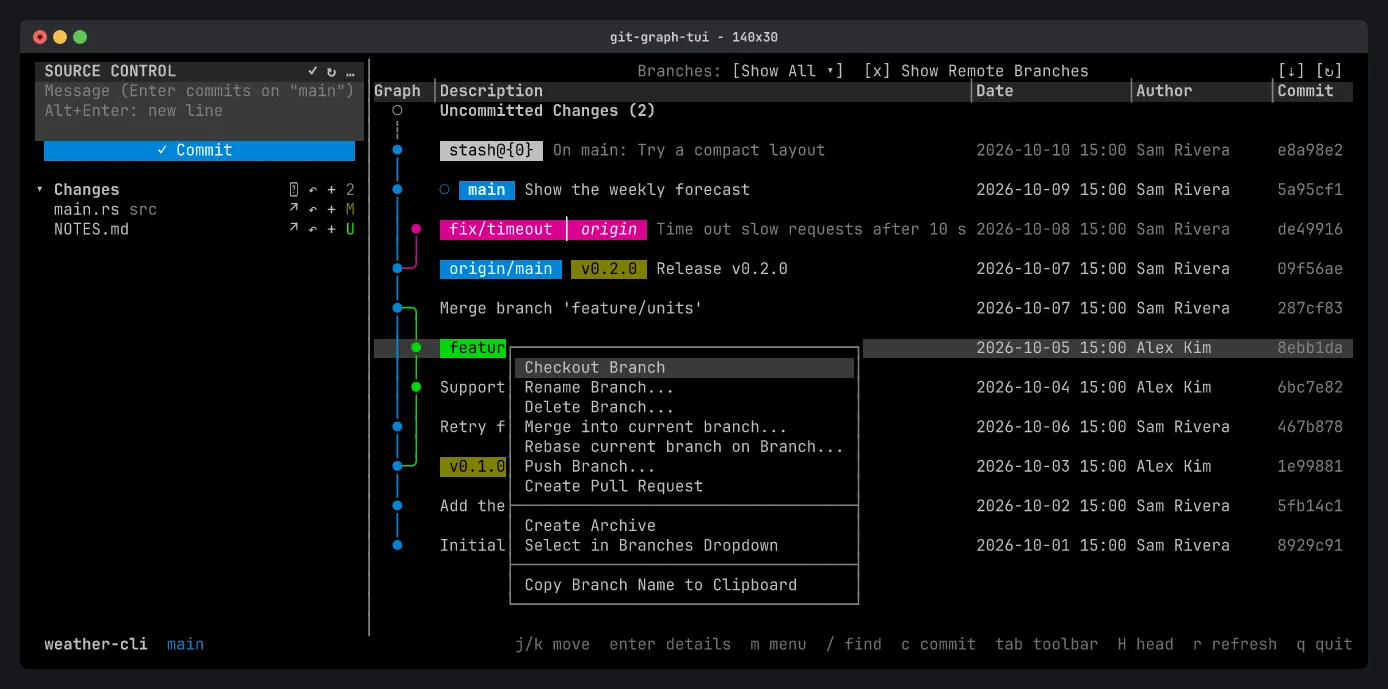
Right-click a branch badge to check it out, rename or delete it, merge it into the current branch, rebase onto it, push it, or open a pull request.
A remote branch’s menu also has Delete Remote Branch…, Pull into current branch… and Fetch into local branch…, which updates a local branch without checking it out.
Commit menu
Section titled “Commit menu”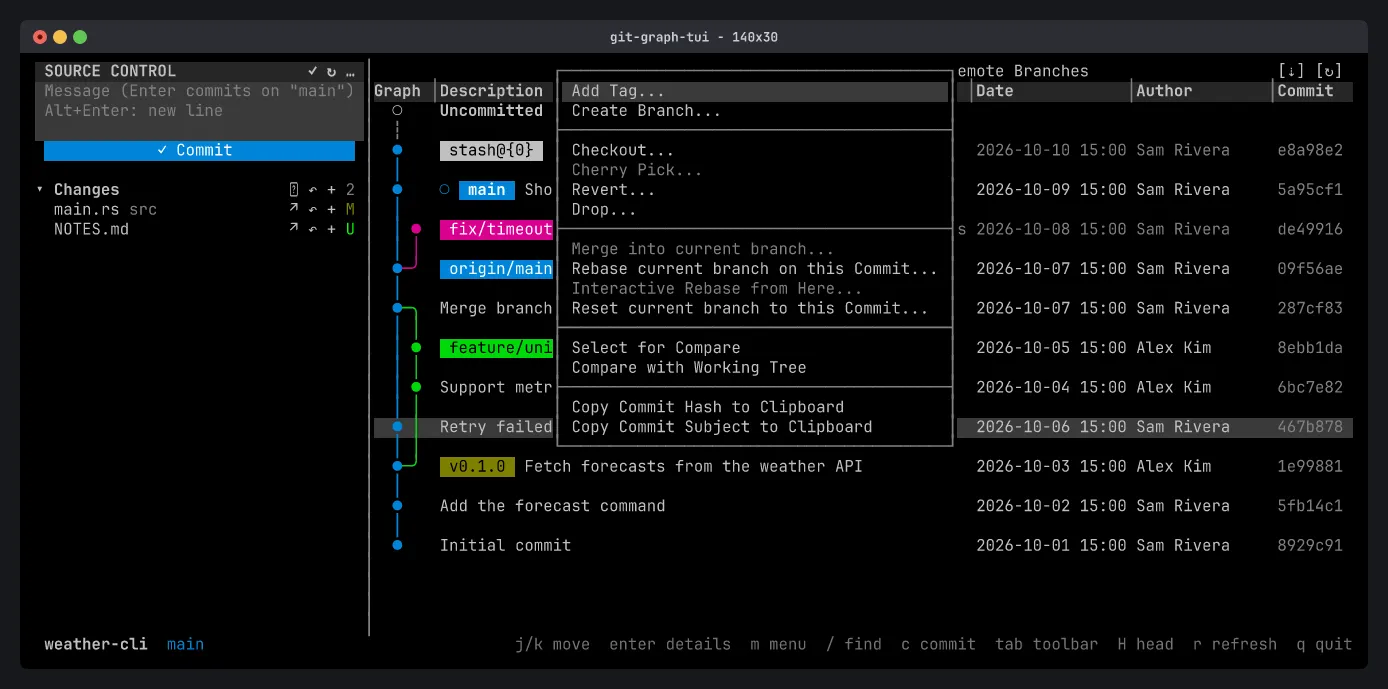
Right-click a commit to:
- Add a tag or create a branch at it.
- Check it out, cherry-pick, revert or drop it.
- Merge it, rebase onto it, start an interactive rebase from it, or reset the current branch to it.
- Compare it with another commit or with your working tree.
- Copy its hash or subject.
Entries that don’t apply are grayed out. For example, Cherry Pick is off for a commit that is already on the current branch.
With m on a row that has badges, each branch, remote branch and tag on it gets its own submenu (Branch main ▸) above the commit’s entries.
Tags and stashes
Section titled “Tags and stashes”- Tag menu: view details, delete the tag (locally or on a remote), create an archive, copy its name.
- Stash menu: apply, pop or drop the stash, or create a branch from it.
Dialogs
Section titled “Dialogs”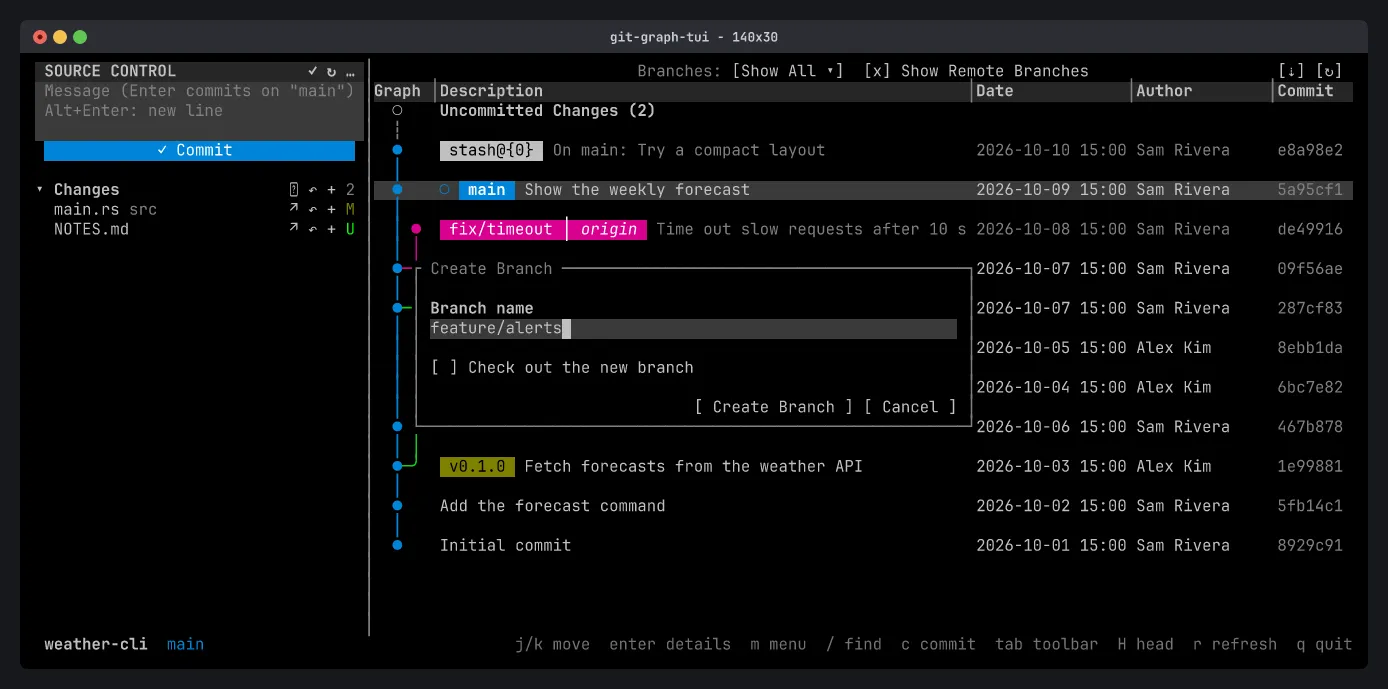
Actions that need input open a dialog. Type in the text fields, press Space to toggle a checkbox, Tab to move, and Enter to confirm. Esc cancels.
Every destructive action (hard reset, deleting a branch or tag, force push, dropping a stash or commit) asks first and says exactly what will happen. The safer option is the default: --force-with-lease over --force, and reset --mixed.
Conflicts
Section titled “Conflicts”When a merge, rebase, cherry-pick or revert stops on a conflict, a banner under the toolbar says so and counts the conflicted files. Resolve them and stage them, then press C to continue or A to abort (or click the banner’s [Continue] and [Abort]).